


Data management
made effortless
Enjoy the freedom to do more with Maia on your side.

This is post 1 of 3 in the Building with Maia & Jev series.
Every data team I work with has the same piece of undocumented code somewhere. A small integration to an external API, written once by whoever needed it first, copied into the next project, and then copied again with a slightly different retry policy. Nobody owns it. Everybody depends on it.
That is what usually happens when you put a decision inside a pipeline. The decision itself is simple — route this ticket, score this document, flag this record — but the plumbing around it gets rebuilt every time, and the version in project C has quietly drifted from the one in project A.
I wanted to see whether that pattern could be broken properly: build the integration once, as a shared component with its own tests and documentation, and have the rest of the team consume it rather than rewrite it. The thing I integrated was Jev, TypeSafe's typed decision model, and the whole build — connector, three core pipelines, five worked examples, and a skill — took an afternoon in Maia Foundation.
This is the part I expected to take longest and it took about 90 seconds.
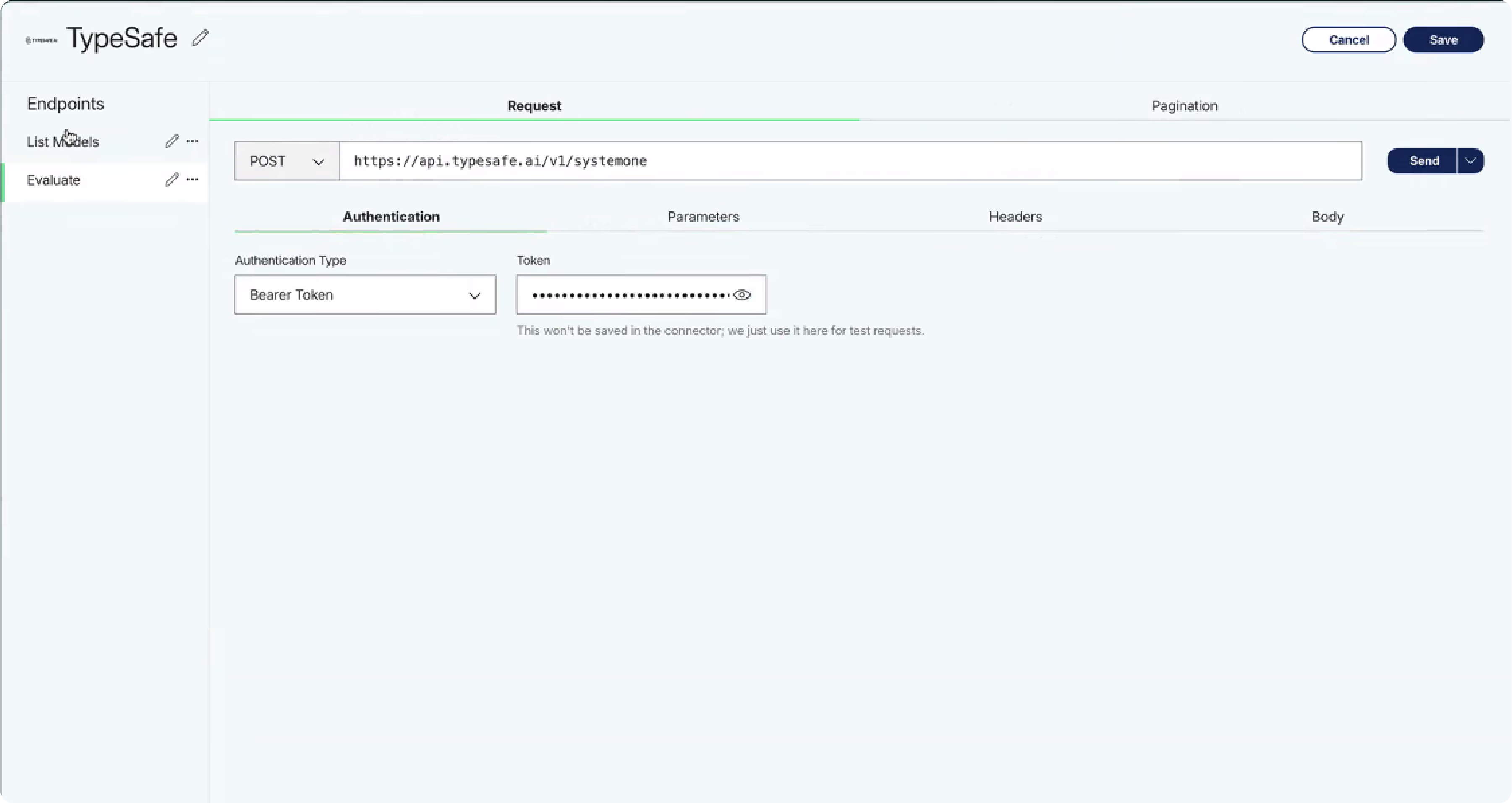
Maia's custom connectors page accepts an API reference URL directly. I pasted in TypeSafe's, and Maia read the specification and came back with the available endpoints — evaluate as a POST, and list models alongside it. I imported evaluate, pasted my bearer token, and saved the connector as TypeSafe.
It had already matched evaluate to the POST method and set Content-Type: application/json without being asked. I checked both, because a connector that looks right and posts the wrong verb will fail in a way that's tedious to diagnose three pipelines later.
Worth knowing: build the connector before you write the task. Maia can search the component palette for a connector that already exists, but it can't invent one mid-plan.
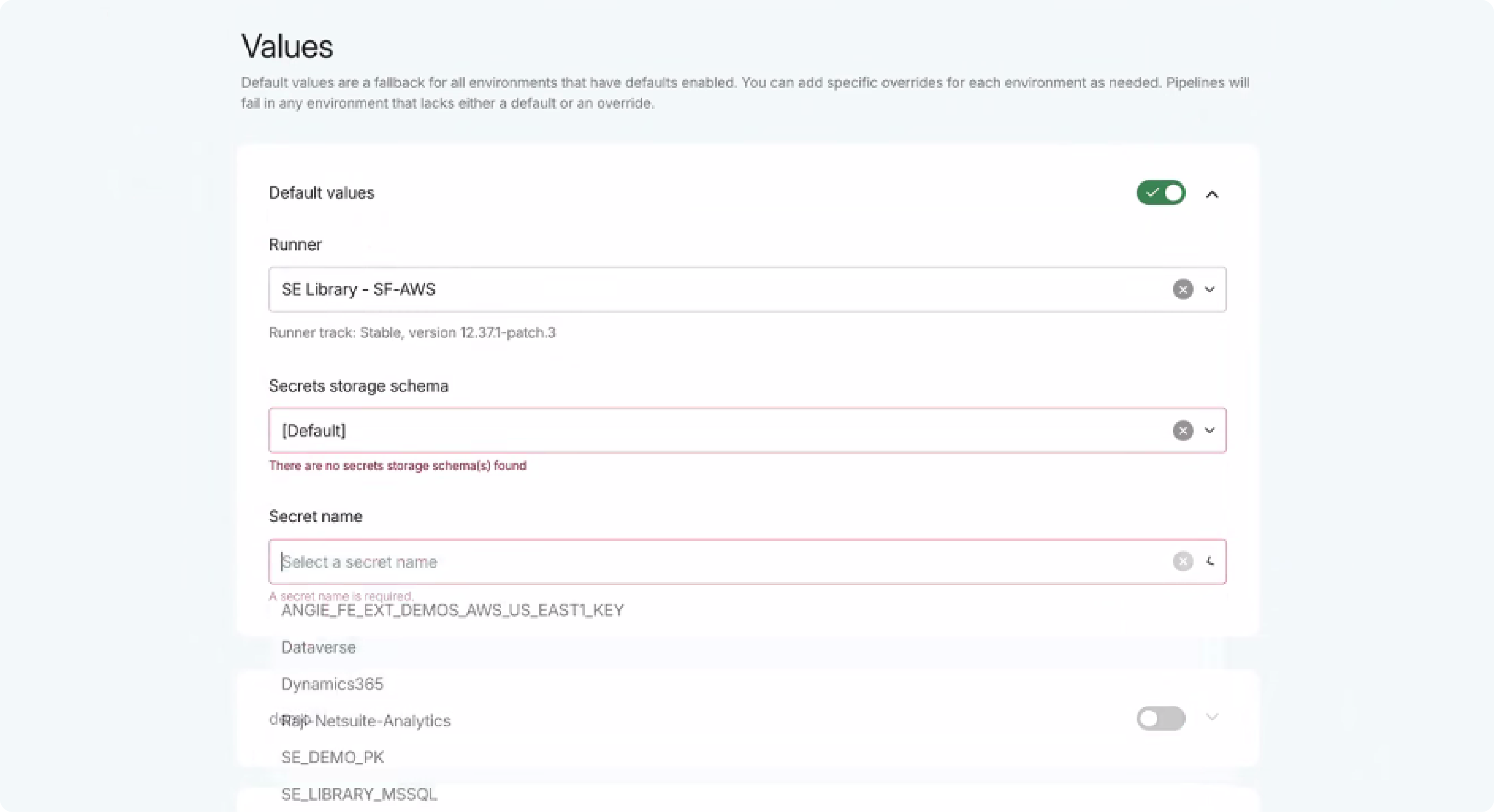
The credential does not belong in the pipeline. In the project view, under connections, I added a secret named JH-Jev, described it, selected my runner, and pointed it at the relevant secret in AWS Secrets Manager.
One precursor step that will catch you out if you skip it: the Elastic Container Service running your agent needs read access to that secret. Grant it first, or the connection saves cleanly and then fails at execution with an error that looks like a connector problem rather than a permissions one.
This step is the one that made the difference, and it's the one most people will skip.
Jev is new. It is not in any model's training data, and Maia had no idea what a typed decision endpoint is, what question types it accepts, or how to unpack what comes back. So I built it a reference. I pointed Claude at TypeSafe's documentation, had it extract the model's design principles into structured notes, and added the result to the branch as a markdown file called System One Design Principles.
Then I told Maia it was there.
That single file changed the shape of everything downstream. Without it, Maia would have produced a generic REST integration and I'd have spent the afternoon correcting its assumptions about the response payload. With it, the plan came back already using the right vocabulary — choice, score, and noul as distinct question types, with the unpacking logic separated out because the response shape differs between them.
The general lesson holds well beyond this integration. When you ask an agent to build against something released last month, the constraint is rarely the agent's capability. It's that nobody has written down how the thing works in a form the agent can read. Writing that down is the work.
I opened a task in Mission Control, in a new feature branch off main, in my sandbox environment. Then I gave Maia the problem rather than the instructions:
Then, once the design-principles file was in place:
Present a plan for the shared pipelines, five examples of how to use the evaluate functionality, and an accompanying skill so the integration is reusable for future data products.
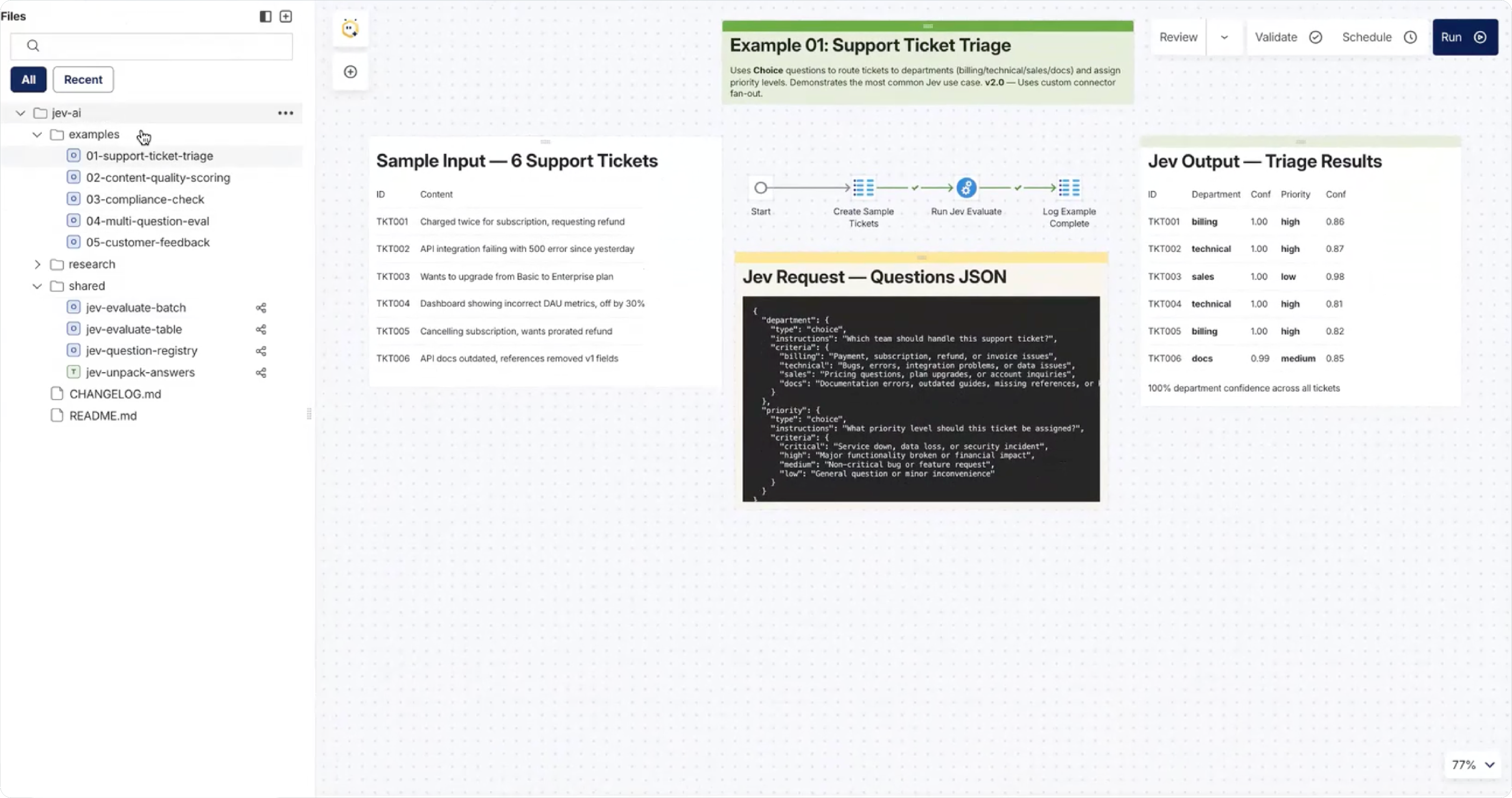
I put it into plan mode deliberately. Plan mode costs you a minute and buys you a reviewable proposal instead of a surprise. What came back was three core pipelines to publish as shared components — evaluate batch, evaluate table, and unpack answers — plus the five examples and the skill. I read it, it was right, and I accepted it.
Maia built a parent and child pipeline pair. The child takes the bearer token and posts a dynamic message to Jev — the model, the state, and the questions — then writes the response to a target table in Snowflake. The parent loops a source table, mapping the key column and text column into the child through scalar variables.
That split is the whole point. The child is the reusable unit; the parent is whatever your use case happens to be.
To publish it, I right-clicked the Jev folder and shared it. Maia then asked me to confirm which variables are required inputs when another project consumes the pipeline, which is worth doing carefully — get it wrong and a teammate inherits a component that fails with a null variable rather than a clear message about what it needs. Once shared, the batch and table pipelines are available across projects in the Matillion Hub account, with the examples and the skill shipping alongside them.
The skill is the part I'd argue is most undervalued. It describes how Maia should work with Jev when building a pipeline, including anti-patterns — the things not to do. When a colleague opens a project and asks for a Jev integration, the skill activates and they get the approach we agreed as a team, not whatever the model would have improvised.
[SCREENSHOT: Right-click share dialog on the Jev folder, showing the dynamic variables Maia identified as required inputs]
Two things went less smoothly than the write-up above suggests.
First, I pointed Maia at the connector by the wrong name and it searched the component palette without finding it. It recovered on its own a few seconds later, but it's a reminder that these agents work from what's actually in the project, not from what you meant. Name things precisely.
Second, I went back mid-build and asked Maia to run the pipelines for real and replace the illustrative response snippets in the canvas notes with actual Jev responses loaded into Snowflake. That was the right call and I should have asked for it in the original plan. Example pipelines documented with invented outputs are worse than no examples, because the first person to run one will find the shape doesn't match and won't know whether the bug is theirs.
If I were starting again, I'd put "populate all canvas documentation from real executions, not samples" in the initial prompt.
Four upgrades I'd make before calling this production-ready.
The first is retry and rate-limit handling. TypeSafe documents a limit of 1,200 requests per minute and notes that limits can change without notice, so the child pipeline should handle a 429 rather than fail the batch.
The second is a threshold policy. Jev returns a probability with every answer, and the interesting question is what you do with a low-confidence response. Right now mine writes the row and moves on. It should route to a review queue.
The third is a schema contract on the unpack step, so a change in the response payload fails a test rather than silently writing nulls into a downstream table.
The fourth is deciding which environment owns the shared component. Mine lives in my sandbox branch, which is fine for a build and wrong for a dependency other teams rely on.
None of that is exotic. It's the ordinary engineering discipline that a copy-pasted integration never gets, and which a shared component makes worth doing once.
That's the foundation. In the next post I'll walk through the five worked examples — ticket triage, content scoring, compliance checks, review analysis, and churn signals — and what each of the three question types is actually good for, including what it costs to run.
This was post 1 of 3 in the Building with Maia & Jev series. Next up is post 2: Jev Use Cases: Five Decisions You Shouldn't Be Paying a Frontier Model to Make. The series finishes with post 3: The Prompt Was Three Sentences. The Build Was a Governed Claims Data Product.